Frustrated by low contact form submission rates or a lack of response from your website inquiries? These two common problems can significantly hinder your ability to connect with potential clients or customers. This guide delves into the root causes of these issues, offering practical solutions and actionable strategies to improve your website’s contact form performance. We’ll explore design optimization, user experience enhancements, and technical troubleshooting techniques to ensure your contact form is both effective and efficient.
From analyzing user-unfriendly design elements to implementing automated email responses, we’ll cover a comprehensive range of solutions. We’ll also address technical issues that may prevent your form from functioning correctly, providing a step-by-step troubleshooting guide to help you resolve any problems quickly and effectively. By the end of this guide, you’ll have the knowledge and tools to transform your website’s contact form into a powerful lead generation and communication tool.
Low Contact Form Submission Rates
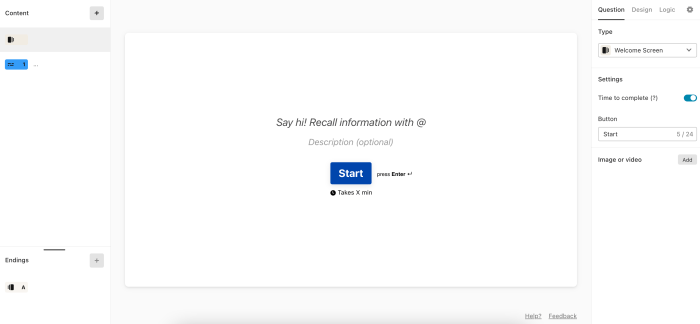
Low contact form submission rates can significantly hinder a website’s ability to generate leads and gather customer inquiries. Understanding why visitors abandon forms is crucial for improving conversion rates and maximizing the effectiveness of your website. This section explores common reasons for low submission rates and provides actionable strategies to address them.
Reasons for Low Contact Form Submission Rates
Several factors contribute to website visitors abandoning contact forms before completion. These range from poor design choices to overly complex processes. Addressing these issues can dramatically improve your form’s effectiveness.
User-Unfriendly Design Elements
Poorly designed contact forms often deter users from completing them. Examples include:
- Lack of clear instructions: Ambiguous field labels or unclear expectations leave users confused and frustrated.
- Excessive field requirements: Requesting unnecessary information overwhelms users and discourages submission.
- Poor mobile responsiveness: Forms that are not optimized for mobile devices create a frustrating user experience, especially considering the high percentage of mobile users.
- Inconsistent branding: Forms that clash with the overall website design create a disjointed experience and reduce trust.
- Missing or unclear call-to-action (CTA): A weak or missing CTA button makes it difficult for users to understand what action is expected.
Strategies for Improving Form Design
Improving form design involves focusing on user experience and optimizing for conversion. This includes simplifying the form, using clear and concise language, and A/B testing different layouts to identify what works best.
A/B Testing Form Layouts
A/B testing is a powerful method for determining which form design elements lead to higher conversion rates. By testing different variations, you can identify what resonates best with your audience. For example, you might test a single-column layout against a multi-column layout, or compare forms with different field orderings.
| Design | Fields | Conversion Rate | Notes |
|---|---|---|---|
| Single-Column Layout | Name, Email, Message | 25% | Simple and easy to navigate. |
| Multi-Column Layout | Name, Email, Phone, Message | 18% | More fields may overwhelm users. |
| Two-Step Form | Step 1: Name, Email; Step 2: Message | 32% | Breaking down the form into smaller steps reduces perceived effort. |
| Progressive Profiling | Name, Email (initial); additional fields requested upon subsequent submissions. | 28% | Collects more information over time without overwhelming users initially. |
Optimizing Form Length and Field Requirements
Reducing form length and minimizing required fields is crucial for improving submission rates. Every additional field adds friction to the process. Prioritize essential information and consider using progressive profiling to gather additional data over time. For example, instead of requiring a phone number initially, consider making it optional. This allows users to easily submit the form with minimal effort while still providing the option for those who wish to share their phone number.
Lack of Confirmation or Response to Submissions
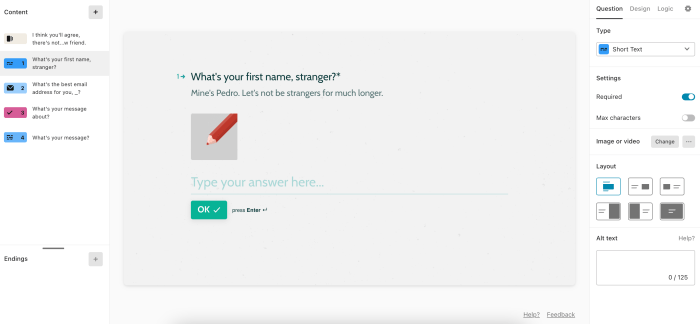
A significant frustration for website visitors is submitting a contact form and receiving no acknowledgment. This lack of feedback can lead to users believing their message wasn’t sent, prompting them to resubmit the form, potentially creating duplicate entries and wasting both their time and yours. Providing immediate confirmation is crucial for a positive user experience and efficient communication.
Providing users with immediate confirmation upon form submission is vital for several reasons. It reassures them that their message has been received and processed, fostering trust and improving the overall user experience. Conversely, the absence of confirmation can lead to user frustration and potentially lost business opportunities. The choice of confirmation method should align with your website’s design and the complexity of your contact form.
Confirmation Methods
Different approaches exist for confirming successful form submissions. Each method presents unique advantages and disadvantages concerning user experience and technical implementation.
- On-Page Message: This involves displaying a brief success message directly on the webpage after the form is submitted. This is typically the quickest and most straightforward method.
- Pros: Instant feedback, simple to implement, requires no additional setup beyond the form itself.
- Cons: The message is only visible briefly, users might miss it if they navigate away quickly, lacks a permanent record for the user or the website owner.
- Email Notification: Sending an automated email to the user confirming receipt of their message. This provides a permanent record of the submission.
- Pros: Provides a lasting record, allows for more detailed confirmation messages, can include additional information like expected response times.
- Cons: Requires email server configuration, may be subject to spam filters, relies on the user having access to their inbox.
- Combination Approach: Combining both an on-page message and an email notification provides the best of both worlds. The immediate on-page confirmation reassures the user instantly, while the email provides a permanent record.
- Pros: Offers both immediate and long-term confirmation, increases user confidence, minimizes the chance of the user missing the confirmation.
- Cons: Requires more complex setup than either method alone.
User Experience Implications of Delayed or Missing Responses
Delayed or missing responses to contact form submissions significantly impact user experience. Users may perceive a lack of professionalism, leading to dissatisfaction and potentially lost business. In some cases, a lack of response might even cause a user to seek out a competitor who provides better communication. For example, a potential client inquiring about a critical service who doesn’t receive a response may take their business elsewhere, costing the company revenue and reputation.
Automated Email Response Template
An automated email response provides a professional and efficient way to acknowledge contact form submissions. This email should be concise, informative, and reassure the user that their inquiry will be addressed. Here’s a sample template:
Subject: Thank you for contacting [Your Company Name]
Dear [User Name],
Thank you for contacting us. We have received your message and will respond to your inquiry within [Timeframe, e.g., 24-48 hours].
In the meantime, you can find answers to frequently asked questions on our [Link to FAQ page, if applicable].
Sincerely,
The [Your Company Name] Team
Technical Issues with Form Functionality
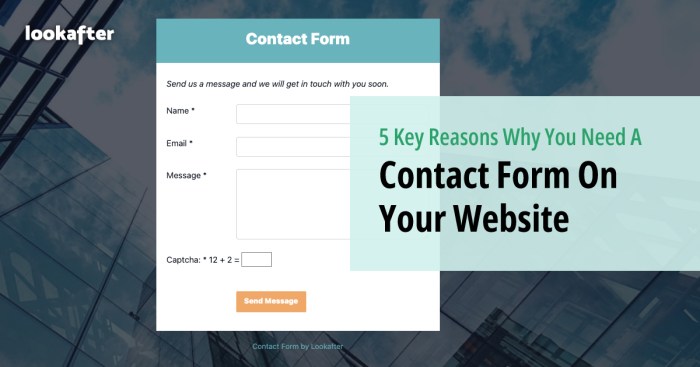
Contact form malfunctions often stem from technical problems hindering their proper operation. These issues can range from simple scripting errors to more complex server-side configurations, ultimately preventing users from successfully submitting their messages and frustrating both users and website owners. Addressing these issues effectively is crucial for maintaining a functional and user-friendly website.
Common Technical Problems Preventing Contact Form Submission
Several technical glitches can disrupt the smooth functioning of contact forms. Server-side errors, such as incorrect email configurations or database connection failures, frequently prevent form data from being processed correctly. Client-side issues, including problems with JavaScript validation or form scripting errors, can also block submissions. Incorrectly configured file uploads can also lead to failures. Finally, incompatible plugins or themes can create conflicts that prevent the form from working as intended.
Troubleshooting Guide for Contact Form Errors
A systematic approach is essential when diagnosing and fixing contact form malfunctions. The following steps provide a structured troubleshooting guide:
- Check Server-Side Configuration: Verify that your email server is correctly configured to receive emails from your contact form. Check for errors in your server logs related to email sending. Incorrect SMTP settings are a frequent cause of problems.
- Inspect Form Scripting: Examine your contact form’s code for any syntax errors, particularly in JavaScript validation or server-side processing scripts (PHP, Python, etc.). Look for missing semicolons, typos, or incorrect function calls.
- Test Form Submission: Try submitting the form yourself to identify any immediate errors or issues. Pay close attention to any error messages displayed. Test with different browsers to rule out browser-specific problems.
- Review Server Logs: Check your web server’s error logs for any messages related to the contact form. These logs often contain detailed information about the errors encountered during form submissions. Look for specific error codes and messages that can pinpoint the problem.
- Deactivate Plugins/Themes: If you’re using plugins or themes that interact with your contact form, temporarily deactivate them one by one to see if any are causing conflicts. This helps isolate the source of the problem if it’s related to a third-party extension.
- Check File Upload Settings: If your form includes file uploads, ensure that the file upload directory has the correct permissions and sufficient space. Incorrect permissions can prevent files from being uploaded successfully.
- Use a Form Testing Tool: Utilize online form testing tools or browser developer tools to analyze the form’s behavior and identify potential issues with its code or server-side interactions. These tools can provide detailed information about HTTP requests and responses.
Methods for Testing and Debugging Contact Form Functionality
Several methods aid in testing and debugging contact forms. Manual testing involves directly submitting the form with various inputs to identify issues. Automated testing employs tools and scripts to simulate user actions and automatically detect problems. Using browser developer tools allows inspection of network requests, JavaScript console errors, and other helpful debugging information. Finally, employing a dedicated debugging plugin or extension can provide enhanced troubleshooting capabilities for contact forms. For example, using a browser’s “Network” tab allows detailed inspection of the HTTP request and response for a form submission, revealing potential server-side errors or issues with data transmission.
Flowchart for Troubleshooting Contact Form Malfunctions
Imagine a flowchart. The starting point is “Contact Form Malfunction?”. The first decision point is “Is the problem client-side (browser) or server-side?”. If client-side, the next step is “Check for JavaScript errors using browser developer tools”. If server-side, the next step is “Check server error logs”. Both paths then lead to “Test form submission with different inputs”. If the problem persists after these steps, the next step is “Deactivate plugins/themes one by one”. Finally, if the issue remains unresolved, the flowchart points to “Seek expert assistance”. Each step allows for further investigation and refinement until the problem is solved.
Closure

Optimizing your website’s contact form involves a multifaceted approach that encompasses user experience, design principles, and technical functionality. By addressing the common issues of low submission rates and delayed responses, you can significantly improve your website’s effectiveness in capturing leads and providing timely communication. Remember, a well-designed and functional contact form is crucial for fostering strong connections with your audience and driving conversions. Implement the strategies Artikeld here to enhance user engagement and streamline your communication process.