Augmented reality (AR) development presents unique challenges, often hindering the creation of seamless and engaging user experiences. Two prevalent issues consistently arise: unreliable tracking and performance bottlenecks on mobile devices. This guide delves into practical solutions for overcoming these hurdles, equipping developers with the knowledge to build robust and high-performing AR applications.
We’ll explore the root causes of inaccurate tracking, examining factors like lighting conditions and movement speed. We’ll then dissect effective strategies for optimizing performance, including techniques for reducing resource consumption and improving rendering efficiency. By understanding and implementing these solutions, developers can significantly enhance the quality and user experience of their AR projects.
Troubleshooting AR Tracking Issues

Augmented reality (AR) applications rely heavily on accurate and stable tracking to overlay digital content seamlessly onto the real world. However, various factors can compromise tracking performance, leading to frustrating user experiences. Understanding these challenges and implementing effective solutions is crucial for developing robust and reliable AR applications.
Inaccurate or unstable AR tracking often stems from limitations in the environment or the tracking method itself. Low light conditions, for instance, can significantly hinder the ability of the device’s camera to identify and track features in the scene. Similarly, rapid movements of the device or the environment can cause tracking to lose its reference points, resulting in jittery or unstable overlays. Furthermore, the complexity of the scene—highly textured versus uniformly colored surfaces—can influence tracking accuracy. Occlusion, where the real-world object being tracked is temporarily hidden, also presents a challenge.
Improving AR Tracking Accuracy
Improving AR tracking accuracy involves a multi-pronged approach that addresses both environmental factors and the technical aspects of the AR application. Calibration techniques, such as using a known size marker to establish a baseline for scaling and positioning, can enhance accuracy. Additionally, optimizing the environment by ensuring sufficient lighting and minimizing rapid movements can significantly improve tracking stability. Careful selection of tracking methods, tailoring the application’s processing to the device’s capabilities, and pre-processing of input video frames to remove noise and enhance features are all valuable strategies.
Comparison of AR Tracking Methods
The choice of AR tracking method significantly impacts the application’s performance and robustness. Different methods have varying strengths and weaknesses, making careful selection crucial.
| Tracking Method | Strengths | Weaknesses | Suitable Applications |
|---|---|---|---|
| Marker-Based | High accuracy and stability; simple to implement. | Requires physical markers; limited flexibility in placement; susceptible to occlusion. | Games with predefined playing areas; industrial applications requiring precise alignment. |
| Markerless (Feature-Based) | No need for physical markers; greater flexibility in placement. | Accuracy can be affected by lighting and texture; susceptible to rapid movement and occlusion. | Many general-purpose AR applications; mobile games. |
| Simultaneous Localization and Mapping (SLAM) | Robust to changes in environment; no need for markers; can build 3D maps. | Computationally intensive; accuracy can degrade over time; requires significant processing power. | Robotics; autonomous navigation; large-scale AR experiences. |
Optimizing 3D Model Geometry and Textures for Improved Tracking
The geometry and textures of 3D models used in AR applications directly influence tracking performance. High-poly models with intricate details can overwhelm the tracking system, leading to decreased accuracy and frame rate. Conversely, overly simplistic models may lack sufficient features for reliable tracking. Similarly, textures with low contrast or repetitive patterns can make it difficult for the system to identify and track the model. Optimizing models involves finding a balance between visual fidelity and computational efficiency. Techniques such as reducing polygon count, simplifying geometry, and using high-contrast textures can significantly improve tracking performance. Consider using normal maps and other techniques to add detail without increasing polygon count. Furthermore, the distribution of features across the model is crucial; ensure key features are clearly defined and easily identifiable.
Optimizing AR Performance for Mobile Devices
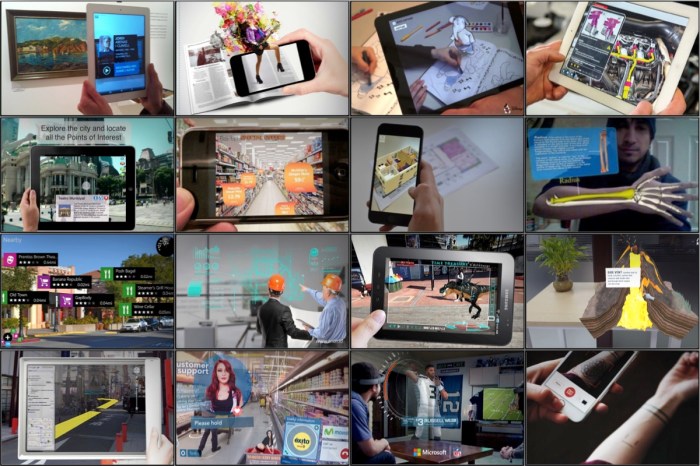
Developing compelling augmented reality (AR) applications presents unique challenges, particularly when targeting the diverse landscape of mobile devices. These devices vary significantly in processing power, memory capacity, and screen resolutions, making it crucial to optimize applications for a smooth and consistent user experience across the board. Failure to do so can result in poor frame rates, lag, and ultimately, a frustrating user experience that diminishes the appeal of the AR application.
AR applications are computationally intensive, demanding significant processing power to render 3D models, track the user’s environment, and overlay digital content seamlessly. The challenge lies in balancing the visual fidelity and interactivity desired by developers with the performance limitations of the target mobile devices. A poorly optimized application might run flawlessly on a high-end flagship phone but become unusable on a lower-end device. Therefore, careful consideration of performance optimization strategies is paramount for successful AR development.
Strategies for Optimizing AR Application Performance
Optimizing AR applications for mobile devices involves a multifaceted approach focusing on efficient resource management and rendering techniques. Key strategies include minimizing polygon counts in 3D models, implementing level of detail (LOD) techniques, and leveraging efficient rendering techniques such as occlusion and frustum culling.
Reducing polygon counts directly impacts rendering time. High-poly models require significantly more processing power to render than low-poly counterparts. By simplifying the geometry of 3D models, developers can drastically reduce the computational load on the device, leading to improved frame rates. For example, a highly detailed 3D model of a car might have millions of polygons, whereas a simplified version suitable for mobile AR might have only a few thousand. This reduction in polygon count can significantly improve performance without a drastic reduction in visual quality, especially when viewed from a distance.
Level of detail (LOD) techniques dynamically switch between different versions of a 3D model based on its distance from the camera. Faraway objects can be rendered with simplified, low-poly models, while closer objects use higher-fidelity models. This adaptive approach ensures that only the necessary level of detail is rendered at any given time, significantly reducing the overall processing load. Imagine a city scene in an AR application: buildings far away can be represented by simple shapes, while those close to the user are rendered with more detail.
Efficient resource management is crucial. This includes minimizing texture sizes, using compressed textures, and carefully managing the loading and unloading of assets. Large textures can consume significant memory, impacting performance. Using compressed texture formats reduces the memory footprint without significantly affecting visual quality. Furthermore, implementing strategies to load assets only when needed and unload them when no longer required can prevent memory overload and improve performance.
Profiling and Identifying Performance Bottlenecks
Identifying performance bottlenecks is a critical step in optimizing AR applications. Profiling tools, often integrated into game engines or development environments, provide detailed information about the application’s performance, including frame rates, CPU usage, GPU usage, and memory consumption. These tools allow developers to pinpoint areas of the application that are consuming excessive resources and causing performance issues.
A typical profiling session involves running the AR application on a target device while the profiling tool collects performance data. After the session, the tool generates a report highlighting performance bottlenecks. For example, the report might indicate that rendering a particular 3D model is causing significant frame rate drops or that excessive memory usage is leading to lag. This information allows developers to focus their optimization efforts on the most critical areas of the application.
Implementing Efficient Rendering Techniques
Occlusion culling and frustum culling are two powerful rendering techniques that can significantly improve frame rates. Occlusion culling prevents the rendering of objects that are hidden behind other objects. This is particularly effective in complex scenes where many objects might be occluded. Frustum culling eliminates the rendering of objects that are outside the camera’s viewing frustum (the pyramid-shaped volume visible to the camera). This technique prevents the rendering of objects that are not visible to the user, reducing the rendering load.
Imagine a scene with a large number of trees. Occlusion culling would prevent the rendering of trees hidden behind others, while frustum culling would prevent the rendering of trees far outside the camera’s view. Both techniques contribute to a substantial reduction in rendering time and improved performance.
Addressing User Experience Challenges in AR

Augmented reality applications, while offering exciting possibilities, often stumble due to poor user experience. A seamless and intuitive interaction is crucial for user engagement and adoption. Failing to address usability issues can lead to frustration, abandonment, and ultimately, the failure of even the most technically impressive AR experiences.
AR applications present unique challenges to traditional UI/UX design principles. The overlay of digital information onto the real world requires careful consideration of context, spatial awareness, and the user’s physical environment. Ignoring these aspects can lead to confusing interfaces and disorienting experiences, significantly impacting user engagement and satisfaction.
Common Usability Issues in AR Applications and Their Impact
Several common usability issues significantly impact user engagement in AR applications. Poorly designed controls can lead to frustration and difficulty in interacting with the application. Lack of clear visual feedback can leave users unsure if their actions are having the desired effect. Complex or unclear onboarding processes can prevent users from even understanding the basic functionalities. These problems cumulatively decrease user satisfaction and retention. For example, an AR furniture placement app with unresponsive controls or unclear visual indicators of where a virtual object will be placed will likely frustrate users and lead to app abandonment. Similarly, an AR game with a complex tutorial that doesn’t clearly explain core mechanics will discourage users from playing further.
Solutions for Improving User Experience in AR Applications
Implementing intuitive controls, providing clear visual feedback, and designing effective onboarding experiences are crucial for improving the user experience in AR applications. Intuitive controls can be achieved through gesture recognition tailored to the application’s purpose, or by using simple, easily understandable on-screen controls. Clear visual feedback can be implemented through highlighting interactive elements, providing haptic feedback, and using animations to illustrate the effects of user actions. Effective onboarding can be achieved through a combination of interactive tutorials, clear instructions, and helpful visual cues. For instance, a well-designed AR navigation app might use subtle haptic feedback when the user approaches a turn, accompanied by clear visual cues on the screen.
Best Practices for Designing User Interfaces for AR Applications
Designing user interfaces specifically for AR applications requires a different approach than traditional screen-based interfaces. Here are some best practices:
- Prioritize context awareness: Design interfaces that consider the user’s physical environment and adapt to it dynamically.
- Minimize visual clutter: Avoid overwhelming the user with excessive information; prioritize essential data and keep the interface clean and uncluttered.
- Use intuitive gestures: Employ natural and intuitive gestures for interaction, avoiding complex or unnatural hand movements.
- Provide clear visual feedback: Use animations, highlighting, and other visual cues to communicate the effects of user actions.
- Optimize for different screen sizes and devices: Ensure the UI scales and adapts effectively to various screen sizes and devices.
- Consider accessibility: Design for users with disabilities, ensuring inclusivity and usability for a broader audience.
The importance of these best practices cannot be overstated. A poorly designed AR interface can lead to a negative user experience, even if the underlying technology is sophisticated. By adhering to these principles, developers can create AR experiences that are engaging, intuitive, and enjoyable for users.
Incorporating User Feedback to Improve AR Application Design
Gathering and acting on user feedback is essential for iteratively improving the design and functionality of an AR application. This can be achieved through various methods, including user surveys, in-app feedback mechanisms, usability testing, and A/B testing. Analyzing user feedback can identify areas for improvement, such as unclear instructions, frustrating controls, or confusing visual elements. For example, an AR game might conduct playtests to identify confusing game mechanics, allowing the developers to refine the game’s tutorial and UI based on player feedback. Incorporating user feedback in this manner is crucial for ensuring the application meets user needs and expectations.
Closure

Mastering AR development requires a proactive approach to problem-solving. By addressing common tracking issues and optimizing performance for mobile devices, developers can create AR experiences that are not only functional but also engaging and enjoyable for users. This guide has provided a foundation for tackling these challenges; continuous learning and iterative development remain crucial for success in this dynamic field.