A submerged smartphone is a stressful situation, but swift action can significantly improve the chances of recovery. This guide explores six key strategies to address water damage, from immediate steps to professional repair options. Understanding the proper response can save your precious data and your device.
We’ll cover crucial initial actions like powering down and removing external components, detailing the risks of ignoring these steps. We’ll then delve into various drying techniques, comparing the effectiveness of air drying, desiccants, and even the age-old rice method, highlighting their pros and cons. Finally, we’ll address when professional help is necessary and explore preventative measures to avoid future water damage incidents.
Immediate Actions After Water Damage
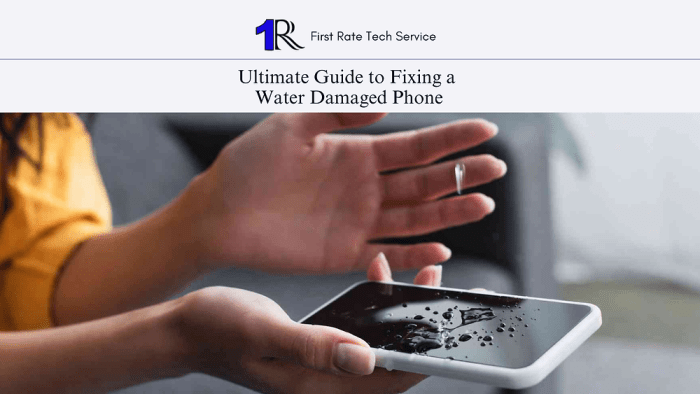
A water-damaged phone requires immediate action to minimize further damage and potentially salvage your data. Swift and correct responses in the first few minutes can significantly improve the chances of recovery. Remember, the faster you react, the better the outcome.
The initial steps are crucial for preventing short circuits and corrosion within the phone’s delicate internal components. These steps, while seemingly simple, are essential to maximizing the chances of successful repair or data retrieval.
Power Down Procedure
Immediately switch off your phone. Do not attempt to use it, even if it appears to be functioning normally. Turning the phone off prevents any electrical activity that could exacerbate the damage caused by the water. Press and hold the power button until the phone completely shuts down. If the phone is unresponsive, allow it to sit completely still for at least 30 minutes before attempting to power it off. The goal is to completely interrupt the power flow.
External Component Removal
Remove any external accessories attached to your phone, such as the phone case, screen protector, and any other coverings. These components can trap water against the phone’s surface, increasing the risk of internal damage. Gently remove these items, being careful not to scratch or damage the phone’s body.
SIM and SD Card Removal
Before attempting to remove the SIM and SD cards, ensure your hands are completely dry. Water on your hands could introduce more moisture into the phone. Locate the SIM card tray and SD card slot (if present). Use the provided ejection tool or a small, clean paperclip to carefully release the tray. Once removed, gently take out the SIM and SD cards. Set them aside in a dry, safe place. Avoid touching the exposed contacts on the cards.
The importance of not powering on or charging the phone immediately cannot be overstated. Attempting to power on a water-damaged phone can cause short circuits, leading to irreversible damage to the internal components. Charging the phone could similarly lead to short circuits and potentially damage the battery, further compounding the problem. In severe cases, attempting to power on or charge the phone may result in the complete destruction of the device, rendering it irreparable and leading to permanent data loss.
Liquid Exposure Decision Flowchart
The response to water damage varies slightly depending on the type of liquid involved. A flowchart helps visualize the decision-making process:
[Imagine a flowchart here. The flowchart would begin with a central box: “Liquid Contact Detected?”. This would branch to “Yes” and “No”. The “No” branch would lead to “No action needed”. The “Yes” branch would further branch into three boxes: “Freshwater”, “Saltwater”, and “Other Liquids (Sugary Drinks, etc.)”. Each of these would lead to a box indicating the recommended immediate action (e.g., “Freshwater: Proceed with power down and component removal”, “Saltwater: Rinse gently with distilled water and then proceed with power down and component removal”, “Other Liquids: Rinse gently with distilled water, then proceed with power down and component removal”). All branches ultimately lead to a final box: “Seek professional repair.”]
Drying Techniques and Methods
Successfully drying a water-damaged phone is crucial to its survival. Several methods exist, each with its own advantages and disadvantages. Choosing the right approach depends on the extent of the water damage and the resources available. Improper drying can lead to further damage, so careful consideration is essential.
Various techniques exist for drying a water-damaged phone, each offering a different level of effectiveness and convenience. Air drying, using desiccant packs, and employing rice are common methods, but their efficacy varies considerably. Understanding the pros and cons of each approach is key to making an informed decision.
Air Drying
Air drying involves letting the phone dry naturally in a well-ventilated area. While seemingly simple, this method requires careful execution to avoid further damage.
Proper air drying is crucial to minimize the risk of internal corrosion and component damage. The following steps should be followed:
- Ensure the phone is in a clean, dry environment with good airflow.
- Maintain a temperature between 68-77°F (20-25°C) and a humidity level below 50%. High humidity can hinder the drying process and potentially promote mold growth.
- Keep the phone away from direct sunlight or heat sources, as these can damage internal components.
- Avoid using fans directly on the phone, as this can force moisture deeper into the device.
- Leave the phone to air dry for at least 48 hours, or longer if the damage is extensive. Regularly check the phone for any signs of moisture.
Desiccant Packs
Desiccant packs, containing substances that absorb moisture, offer a more effective drying method compared to air drying or rice. Silica gel packets are a common type of desiccant.
Using desiccant packs involves placing the phone in a sealed container with several packs. The optimal placement and duration depend on the type and quantity of desiccant used.
| Desiccant | Effectiveness | Pros | Cons |
|---|---|---|---|
| Silica Gel | High | Readily available, inexpensive, reusable | May not absorb all moisture |
| Calcium Chloride | Very High | Highly effective, absorbs large amounts of moisture | Can be corrosive if not handled properly |
| Rice | Low | Readily available, inexpensive | Ineffective, may introduce contaminants |
To use desiccant packs effectively, place the phone in an airtight container (such as a zip-top bag or an airtight food storage container), surround it with multiple desiccant packs, and seal the container tightly. Leave it for at least 24-72 hours, checking periodically. The more desiccant packs used, the faster and more effective the drying process.
DIY Desiccant Drying Chamber
Creating a DIY desiccant drying chamber enhances the drying process, offering a controlled environment for optimal results. This approach provides a more effective and safer alternative to less controlled methods.
A DIY desiccant chamber can be easily constructed using readily available household items. The following materials and procedure are recommended:
- Materials: An airtight container (such as a plastic storage bin with a tight-fitting lid), several silica gel packets (or other desiccants), a small, shallow dish.
- Procedure: Place the silica gel packets in the bottom of the container. Place the water-damaged phone on the small dish to elevate it above the desiccants. Seal the container tightly and leave it in a cool, dry place for at least 24-72 hours. Regularly check the phone and the desiccant packets.
Professional Repair and Prevention
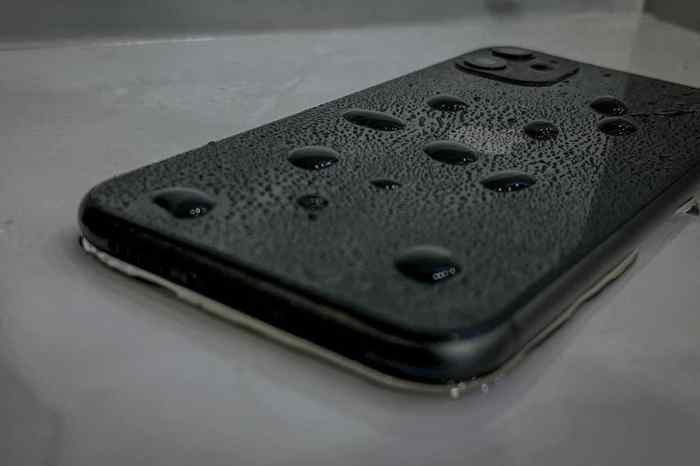
Water damage to a phone can sometimes exceed the capabilities of DIY repair methods. Recognizing when professional intervention is necessary is crucial to avoid further damage and potentially higher repair costs. This section will Artikel the signs indicating the need for professional help, the factors influencing repair costs, and preventative measures to minimize the risk of water damage in the first place.
Signs Requiring Professional Repair
Several indicators suggest that your phone needs professional attention rather than a home repair attempt. These include persistent malfunctions despite drying attempts, visible internal damage, or the absence of power even after thorough drying. For instance, if the phone’s screen remains unresponsive, or if you observe corrosion on the internal components visible through a damaged casing, professional help is essential. Irreparable damage often involves significant internal component failure, such as a permanently shorted circuit board or severely corroded connectors. A severely swollen battery, beyond simple bulging, is another example of damage that often requires professional disposal and replacement due to safety hazards.
Factors Influencing Professional Repair Costs
The cost of professional phone repair after water damage is influenced by several factors. The phone model plays a significant role; repairing a high-end flagship phone will generally be more expensive than fixing a budget-friendly model due to the cost of replacement parts. The extent of the damage is another key factor. Minor water damage, like a few drops affecting only the exterior, might be less expensive to fix than extensive damage requiring multiple component replacements. Additionally, the repair shop’s location and reputation can impact pricing, with specialized repair centers often charging more than independent repair shops. Finally, the warranty status of the phone can influence repair costs, sometimes leading to reduced or covered expenses.
Repair Cost Estimates
| Phone Model | Minor Water Damage | Moderate Water Damage | Severe Water Damage |
|---|---|---|---|
| Budget Smartphone (e.g., some models under $200) | $30 – $75 | $75 – $150 | $150+ (May be uneconomical to repair) |
| Mid-Range Smartphone (e.g., some models $500-$800) | $50 – $125 | $125 – $250 | $250+ (Potentially more expensive than replacement) |
| High-End Flagship Smartphone (e.g., latest models from major brands) | $75 – $200 | $200 – $400 | $400+ (Often more cost-effective to replace) |
*Note: These are estimates and actual costs may vary based on location and specific repair shop.
Preventative Measures Against Water Damage
Proactive measures significantly reduce the risk of water damage. Using a waterproof case is a highly effective method. Look for cases with a high IP rating (e.g., IP68), indicating a higher level of water and dust resistance. However, remember that even waterproof cases have limitations and should not be relied upon for submersion beyond the manufacturer’s specified depth and time limits. Applying a screen protector can also help protect the screen from scratches and minor water ingress. While not fully waterproof, it can provide an extra layer of protection. Additionally, avoiding phone use in wet environments and keeping it away from liquids are simple but crucial preventative steps.
Warranty Implications of Water Damage
Most manufacturers’ warranties explicitly exclude water damage. This means that if your phone is damaged by water, the warranty likely won’t cover repairs. However, it’s crucial to check your specific warranty terms and conditions. If you believe the water damage occurred due to a manufacturing defect (e.g., a faulty seal), you might have grounds to dispute the warranty exclusion. Documenting the damage and contacting the manufacturer promptly are essential steps to take when dealing with a potential warranty claim. Provide detailed information about the incident and request a review of your case.
Final Summary

Successfully reviving a water-damaged phone often hinges on prompt and appropriate action. By following the steps Artikeld—from immediate power-down and careful drying to understanding when professional repair is necessary—you significantly increase the likelihood of data recovery and device longevity. Remember, prevention is key; investing in protective measures can safeguard your phone against future water-related mishaps.